
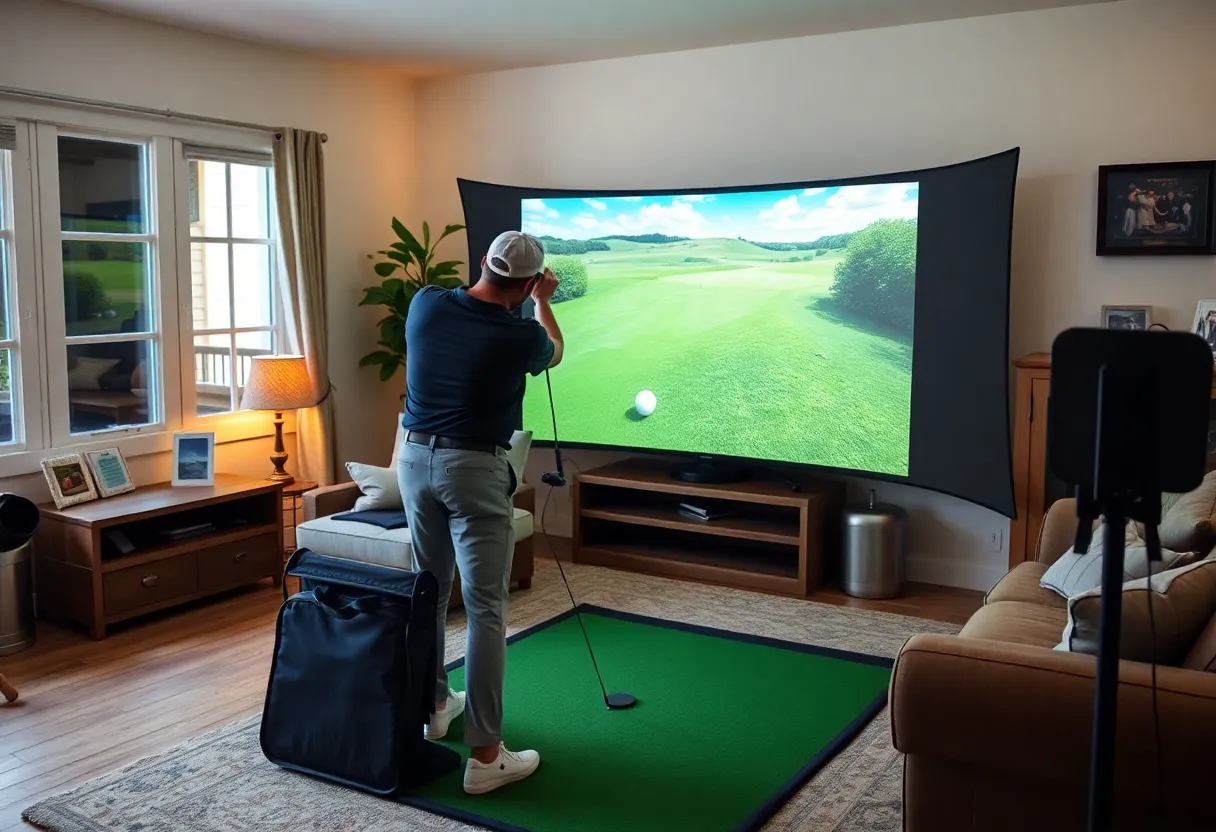
Portable Golf Simulators: Play Anywhere, Anytime
Introduction to Portable Golf Simulators
Golf simulators portable have transformed how golf enthusiasts experience the game. The capability to set up an immersive golfing environment anywhere fundamentally changes practice routines and recreational play. Whether at home, on the road, or at an event, these devices bring the golf course to you.
What are Portable Golf Simulators?
Portable golf simulators are compact and lightweight systems that allow users to practice or play golf indoors or outdoors. They track ball flight and provide data on swing mechanics. Most of these devices utilize advanced technologies such as radar, cameras, or sensors to deliver real-time feedback. From high-definition graphics to realistic ball physics, they create a golfing experience mimicking that on-course atmosphere.
Types of Portable Golf Simulators
Understanding the different types of portable golf simulators is essential for selecting the right one for your needs. The primary categories include:
- Radar-based Simulators: These systems use radar technology to track the ball’s motion from impact to landing. They provide precise measurements of distance, speed, and trajectory.
- Camera-based Simulators: These rely on high-speed cameras to capture the ball’s flight path. They excel in providing swing analysis and can visualize the shot using advanced software.
- Infrared Sensors: Utilizing infrared technology, these devices measure the angle and speed of the ball. They tend to be compact and easy to set up.
Key Features of Portable Golf Simulators
When selecting a portable golf simulator, consider the following features:
1. Size and Weight
The hallmark of golf simulators portable is their ease of transport. Look for models that are lightweight and can be packed into compact cases for convenience.
2. Ease of Setup
Simple setup processes enhance the user experience. Many simulators can be ready to use within minutes, requiring minimal technical skills.
3. Software and Graphics
Advanced graphics and user-friendly software make practice sessions engaging. Many systems offer a variety of courses and challenges to keep users motivated.
4. Data Tracking and Analysis
Numerous simulators provide comprehensive data tracking, including swing speed, club path, and impact angle. This feedback helps golfers refine their techniques.
Benefits of Portable Golf Simulators
The advantages of using portable golf simulators are numerous:
1. Flexibility and Convenience
Golfers can practice anytime, irrespective of weather conditions. The flexibility to play indoors or outdoors offers unparalleled convenience.
2. Cost-Effective Practice
Investing in a portable simulator can be more cost-effective than frequent trips to a golf course. Users can practice at home, saving on green fees and travel expenses.
3. Year-Round Training
Portable golf simulators allow for year-round practice. Rain or shine, users can maintain their skills regardless of weather constraints, contributing to continuous improvement.
4. Social Interaction
Portable golf simulators encourage social play, making them great for gatherings or family events. Friends and family can join in, promoting camaraderie while enjoying the game.
Top Portable Golf Simulators on the Market
Several notable portable golf simulators stand out in the market due to their features and performance. Here are a few top contenders:
1. SkyTrak
SkyTrak is a popular choice among golfers for its high accuracy and realistic ball flight simulation. It offers an extensive data set and can be easily connected to tablets or PCs.
2. OptiShot 2
OptiShot 2 is known for its affordability. It uses infrared sensors to track shots and comes with a comprehensive library of virtual golf courses, making it a budget-friendly option.
3. FlightScope Mevo+
Mevo+ is a portable device that offers precise data analytics. It integrates with a mobile app, making it convenient for use at home or on the go.
4. Rapsodo Mobile Launch Monitor
This mobile launch monitor is compact and user-friendly. It works well with smartphones and delivers instant feedback, making it excellent for aspiring golfers.
Choosing the Right Portable Golf Simulator
Selecting the ideal portable golf simulator involves several considerations:
1. Skill Level
Identify whether the simulator aligns with your current skill level. Beginners may prefer simpler models, while advanced players might benefit from sophisticated data analytics.
2. Budget
Establish a budget before making a purchase. Portable golf simulators range significantly in price, from affordable to high-end models with advanced features.
3. Intended Use
Consider what you want from the simulator. Is it for professional practice, casual play, or family entertainment? The purpose will guide your choice.
4. Space Availability
Ensure there is adequate space for setup. Some simulators require a significant amount of space for optimal function, while others are more compact.
Setting Up Your Portable Golf Simulator
Setting up a portable golf simulator involves several basic steps, which can vary slightly based on the model:
1. Select a Location
Choose a well-lit area with enough space for your swing. Ensure there are no obstacles in the vicinity to avoid accidents.
2. Assemble the Equipment
Follow the manufacturer’s instructions to assemble the simulator. Set up the screen or net and position the launch monitor according to guidelines.
3. Connect to Devices
Many simulators require a connection to a computer or mobile device. Install the necessary software or app and ensure all updates are current.
4. Calibration
Calibrate the simulator as needed to ensure accurate readings. Follow the prompts from the software for optimal setup.
Maintenance and Care for Portable Golf Simulators
Proper maintenance can extend the lifespan of your portable golf simulator:
1. Regular Cleaning
Keep the equipment clean, especially the sensors and screens. Use appropriate cleaning solutions to avoid damage.
2. Software Updates
Regularly check for software updates. These updates often include crucial performance improvements and bug fixes.
3. Safe Storage
Store the simulator in a safe, dry place when not in use. Proper storage protects from accidents and damage.
Future of Portable Golf Simulators
The future of golf simulators portable looks promising. Technological advancements will further enhance realism. Expect improvements in sensor accuracy, virtual reality integration, and even artificial intelligence-driven training programs.
Conclusion
Portable golf simulators offer a unique combination of flexibility, convenience, and technological advancement. They enable golf enthusiasts to practice anytime, anywhere while providing detailed feedback and analytics. Investing in a portable simulator could elevate your game and transform your practice sessions into enjoyable experiences.
